Showing posts with label fabric printing. Show all posts

Sunday, February 1, 2015

Fabric Painting- On A Roll! Brayer Printing

I use inexpensive brayers, found at any hardware or dollar store, to create textured printing. Use inexpensive sponge, foam and textured brayers. 


Paint a sponge brayer with a textured medium to create unique textural mark. Do you still have your old glue gun? Fire it up and decorate a cheap sponge brayer for a very personal mark-making tool.


You can also use any recycled cardboard tubes, toilet paper, corks, even old thread spools to make your own brayers.
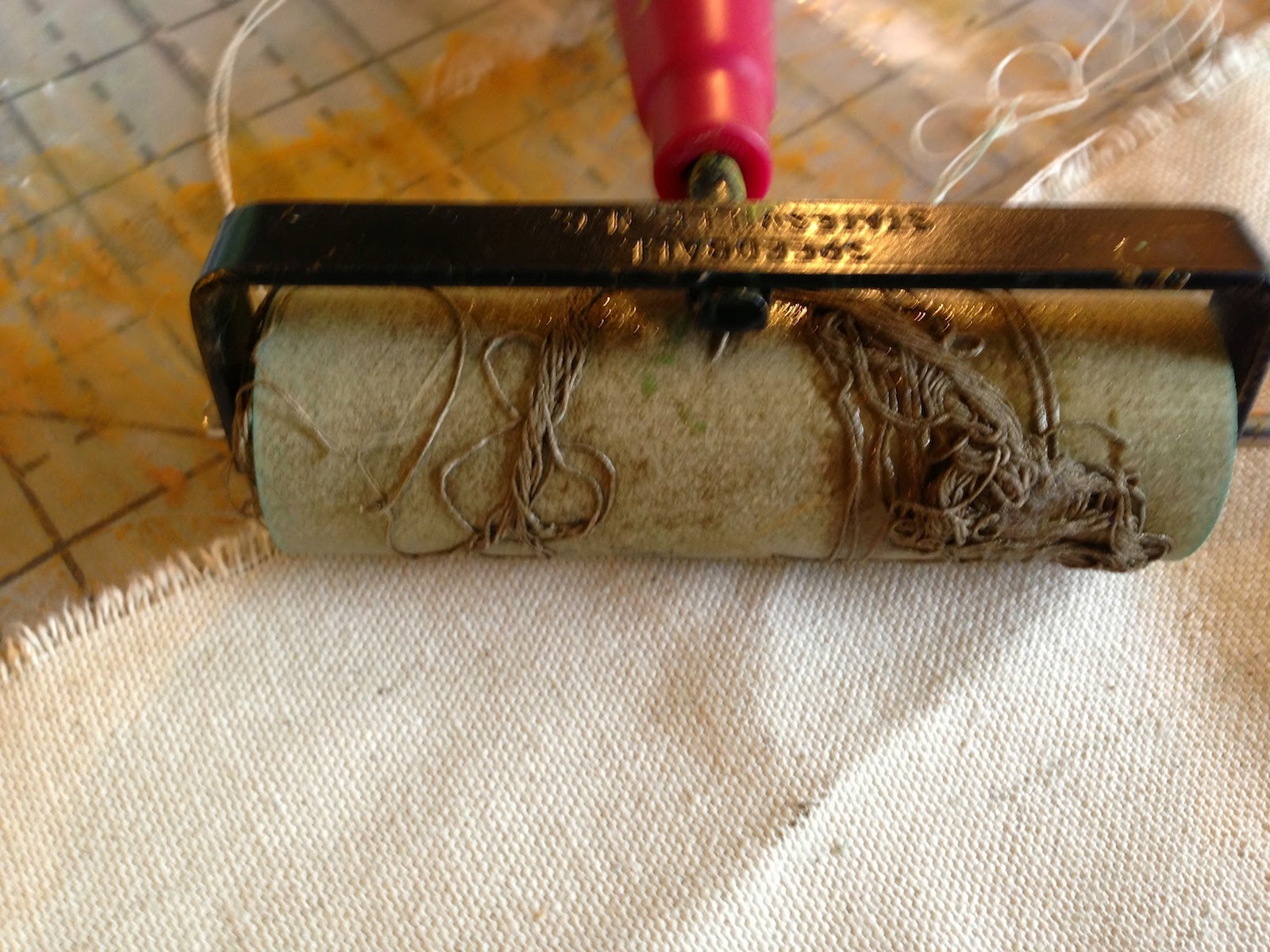
Add designs using foam stickies, string, elastic, cloth scraps and you’re on a roll! Try carving an old candle!

Print on a padded surface for the best detail. I have a print/ironing table in my studio. It can be made with firm batting or acrylic wool covered with duck or some sturdy fabric. I staple it directly to the underside of the table. It can be removed when it starts to turn multicolored and re0worked into delightful painted fabric for your art projects.
Hint- I keep my paints upside down when stored. This way I can see the colors readily, the paint is ready to squirt out of the container and it helps seal the paint container for less evaporation.
 simple thread tangled on a brayer

Monday, March 8, 2010

Transfer the Way You Add Images to Your Art

Image Transfer Workshop
I love incorporating photography and fiber! An image transfer is transferring an image from one source to another, giving wonderful transparent effects. This allows layering of images or let the surface show through.

We had an intense but satisfying time at the image transfer workshop at my studio yesterday. We transferred with many mediums, hitting on a variety to make samples to remember and explore techniques. We used glue or what I call acrylic transfers, tried some with freezer paper and sheets labels. We even used a very non-traditional medium that works spectacularly!

transfer with trans-web, my favorite fusible.
printed on painted cloth

Secret Method

Transfers create a lovely aged and distressed image due to the natural imperfections of the technique.

I’m offering this again at Portsmouth Fabric Co. in Portsmouth NH on April 24th.

I will be demonstrating some of these techniques at the League of New Hampshire Craftsmen’s Meredith Gallery on June 12, 11-2.

Thursday, December 31, 2009

Basic Fabric Printing

Steps
1
Choose your image and make adjustments.
2
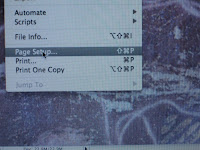
Set up page- file>page set up.
3
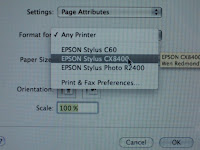
Choose your printer- you will need to do this again in printer window.
4
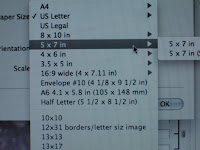
Choose page size of your finished print.
5
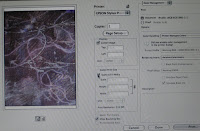
Go to file>print and printer dialogue window pops up.
6
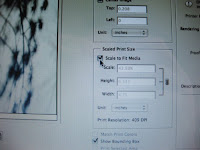
Be sure to check fit to scale box.
7
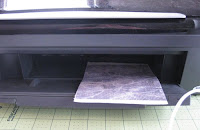
Print and you're ready to print again.

I have been printing on fabric for a number of years now. I first just used my small document printer- a Epson 60 model. I used to use bubble jet and found it was way too much work and not that effective. I now use prepared fabrics- just Google inkjet fabrics and you will find lots with different price points. I print fabric with a Epson 2400. It works very well and the Ultrabright inks on prepared fabric is just about water proof. I tested by soaking printed fabric in a glass of water. It was fine. The printer never gives me trouble except with slippery surfaces like glossy canvas. I need to help that along by lightly pushing it into the printer as it starts to feed, taping the edges or trimming the right corner feeding edge. Just cut your fabric to size and print!
Lately I have started to experiment with Ink Aid and soon Golden's Digital Grounds. The advantages to these are the ability to print on just about anything that will fit in your printer. The thickness should be listed in your printer spec's, found on the website or manual. Mine prints to the width of a flat penny. You can make a gizz-mo that is as thick and test your substrates for fit.
Everything you do will be your teacher, just try.

Silk Organza- I simply use the regular paper setting on my Epson 2400. However, I do slightly increase the Saturation or Intensify hue in Photoshop.
This slightly increases the color, which looks a little too much while in Photoshop, but when printed on the silk organza comes out just fine. Since this action is not directed at the printer, there is no ink pooling. There is some bleed though, but that is to be expected when working with sheer materials of all kinds.
I often use the paper substrates in collage. Quilting Arts offers a DVD with that goes over my Holographic Memories technique.

Sunday, May 17, 2009

Pause- a new work


Working for the first time in awhile, I feel like an exploding volcano! I want to push my boundaries with my photography.  I worked this piece up in Photoshop using layers. Then, I divided it into 6 printable sizes. Very patchwork, eh! It was fused to a very stiff interfacing and stitched into it. I'm exploring printing on a created substrate, so this work is firm. The process requires working with a new product called ink aid. So far it is very permanent. I will apply medium after I'm finished.  Let me know what you think.
Top is detail, bottom Full View- I'd switch them if I could.
Related Posts Plugin for WordPress, Blogger...